Frictionless speed.
Daylio is a beautiful, simple app that pioneered the micro-journaling space. It is incredibly effective for basic mood tracking if all you want to do is tap a smiley face and a few icons.
Kiomora comparison
Daylio is built for quick mood and activity check-ins. Kiomora is for people who also want to save the food, sleep, notes, habits, spending, and other context around a day.
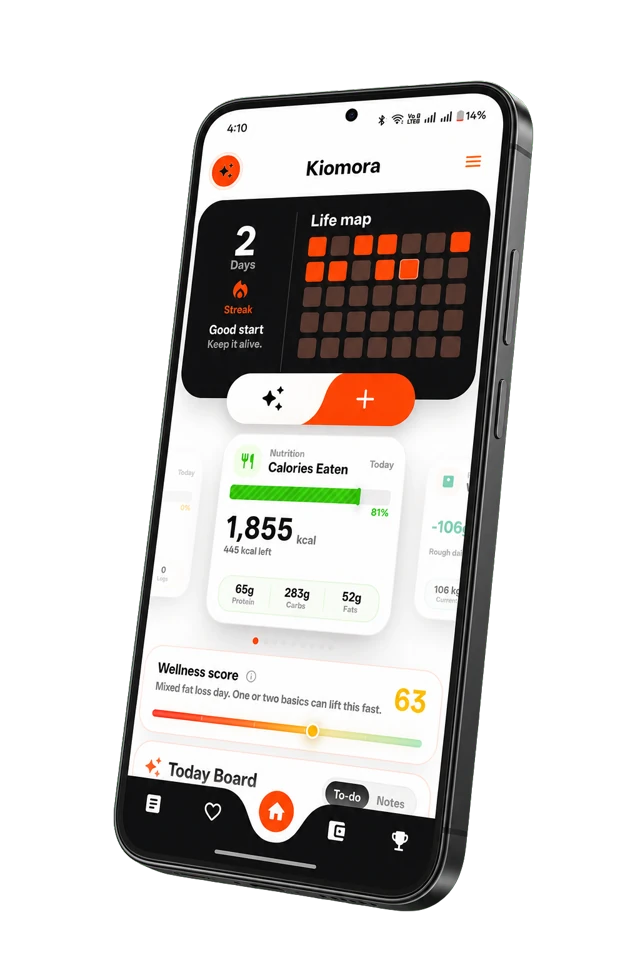
A clearer way to compare
See where each product fits, then explore how Kiomora keeps your daily context together.
Explore KiomoraDaylio is a beautiful, simple app that pioneered the micro-journaling space. It is incredibly effective for basic mood tracking if all you want to do is tap a smiley face and a few icons.
A quick check-in can be useful when mood is the main thing you want to track. Kiomora offers a broader daily record for the context you choose to save beside it.
A mood check-in and a fuller life log can work together. When you choose to save notes, food, sleep, activity, or habits alongside a mood, the month has more of the context you may want to revisit.
Instead of only tapping a predefined mood, write or speak naturally. SuperLog captures the context you choose to save, and Ask Kiomora retrieves from those saved logs later.
Review the suggested logs before saving them, then return to your private record with Ask Kiomora or a completed-month report.
Write, dictate, or add a photo of a daily update naturally.
Review food, water, sleep, activity, expenses, notes, mood, and habits in one saved history.
Monthly Reports bring a completed month of saved logs together for private reflection.
| Feature | Daylio | Kiomora |
|---|---|---|
| Input Method | Tapping pre-defined icons | Freeform text or voice |
| Context | Quick mood and activity check-ins | Save a natural update alongside the day |
| Memory retrieval | Timeline and statistics | Ask Kiomora answers from saved logs |
| Monthly review | Separate review flow | Private report from your completed month |
| Daily capture | Quick mood and activity check-ins | Natural text, voice, or photo updates |
Included with Kiomora Plus
Privately authorize ChatGPT, Codex, Claude Code, Gemini CLI, OpenCode, Hermes Agent, Grok, or another compatible remote MCP host. Retrieve supported records and reports or create supported logs without turning MCP retrieval into a claim of complete account export.
A mood check-in is valuable when it is all you need. A broader record is valuable when you want to remember the context you chose to save around a day. Neither is automatically better.
You can save mood and reflection context in your daily logs. SuperLog lets you review what it detects before saving it.
Kiomora does not currently advertise a Daylio importer.
Monthly Reports include a Life Map for the completed month, based on the saved activity in your account.
Yes. Manual tracking, Ask Kiomora, weekly reports, and monthly reports are free. Kiomora Plus unlocks SuperLog, increased Ask usage, and private agent connections.
Don't forget to try Kiomora
Keep the details you choose to save connected in one personal record.
Explore Kiomora