Built around your day
A voice-first journal for the days you would rather speak.
Record a natural voice update in SuperLog. Kiomora transcribes it, suggests relevant daily logs, and lets you review what belongs in your private record.
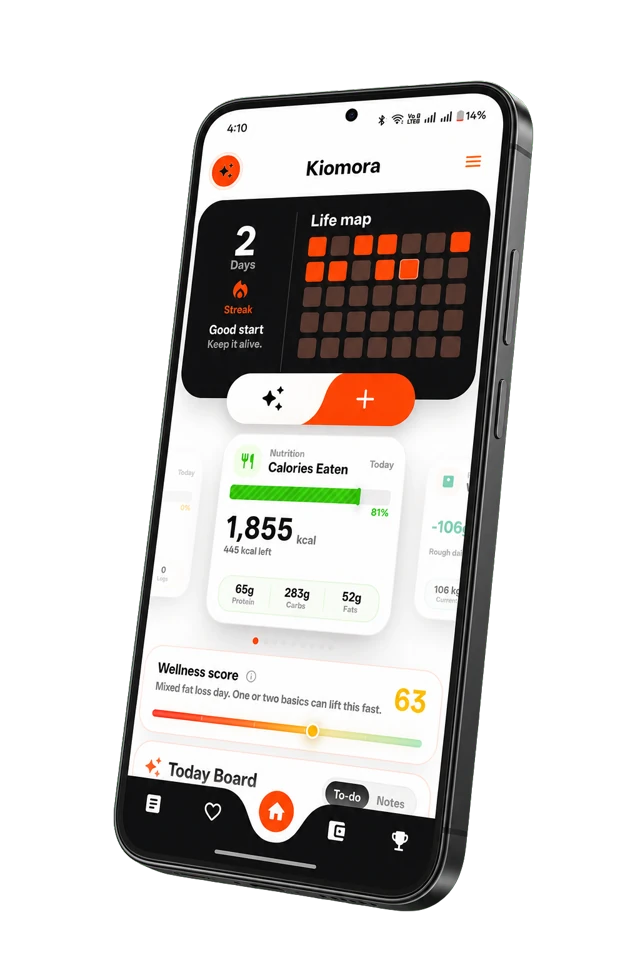
Kiomora for daily context
Your day, connected
Capture the details that matter, review them, and keep them together in one personal record.
Explore KiomoraVoice journaling should create more than another recording.
Some days are easier to say than type. A useful detail can disappear before there is time to format it, but a folder of voice memos can become just as difficult to revisit.
A blank page
When a thought is still forming, a rigid prompt can be the reason it never gets captured.
A pile of voice memos
Recordings are easy to collect but hard to revisit when they have no transcript or connection to the rest of your day.
Too much formatting
Switching between notes, trackers, and expense lists makes a quick update feel larger than it is.
Speak first. Review before saving.
A useful voice journal turns speech into something you can check and find again. Speak in your own words, then review the transcript and suggested logs before anything becomes part of your saved record.
Voice-first capture
Describe the parts of your day that matter without beginning with a blank page or rigid form.
Transcript and review
Check the transcript and possible food, sleep, habit, activity, note, or expense logs before saving.
Searchable daily context
Ask Kiomora can retrieve details from the voice entries and approved logs you chose to keep.
Voice in. Review out.
A natural update can become a set of suggested logs you can keep, edit, or leave out.
Possible logs detected: activity, expense, and water. Review each item before saving it to your day.
Voice entries you can return to.
Your saved voice transcript and the logs you approve can be revisited later, including through Ask Kiomora and a completed-month report.
Ask Kiomora
Saved-log retrieval
I found the saved voice entries and notes that mention presentations this month.
Saved context:
- • A work update after your Tuesday gym session.
- • A note about preparing slides later that week.
This is a retrieval of your saved entries, not advice or a diagnosis.
Move beyond a pile of voice memos.
Keep the details you choose to save connected to the rest of your day, rather than leaving them isolated in recordings.
Your voice is part of your record.
Voice updates are tied to your private account context. You decide which suggested items are saved and available for later reflection.
Make a wellness check-in possible on a busy day.
Voice can lower the friction of remembering context around sleep, food, movement, mood, or a habit. Record naturally, then decide which transcript details and suggested logs deserve a place in your private daily record. The voice journaling guide explains when speaking fits better than writing and what privacy questions to ask.
- Capture a short update while a detail is still fresh.
- Keep the review step so a spoken thought is not automatically treated as a health fact.
- Return to what you saved later instead of relying on memory alone.
A clearer choice.
How does voice logging work?
You can record a voice update in SuperLog, then review the resulting transcript and detected cards before saving what matters to you.
Do I have to listen to my own voice?
No. Voice updates can be transcribed so you can review the text and the logs you chose to save.
Can I look back at my past voice journal entries?
Yes. Saved voice entries and approved logs remain part of your private record for later review and Ask Kiomora retrieval.
What is the difference between a voice memo and a voice journal?
A voice memo is usually an audio recording. A voice journal adds a repeatable reflection habit and may include transcription, dates, search, or structured context that makes an entry easier to revisit.
Is a Kiomora voice journal private?
Voice updates are tied to your account rather than a public feed. Review the current Privacy Policy for how audio, transcripts, automated processing, retention, and deletion work before recording sensitive material.
Don't forget to try Kiomora
See your lifemore clearly
Keep the details you choose to save connected in one personal record.
Explore Kiomora