Infinite flexibility.
Notion is an incredibly powerful tool for building complex, interlinked databases. If you want to architect a custom workspace with beautiful, custom-colored tables and relational links, Notion is the gold standard.
Kiomora comparison
Notion is built for flexible workspaces and databases. Kiomora is built for capturing everyday life context naturally, reviewing the logs you save, and revisiting them later.
A clearer way to compare
See where each product fits, then explore how Kiomora keeps your daily context together.
Explore KiomoraNotion is an incredibly powerful tool for building complex, interlinked databases. If you want to architect a custom workspace with beautiful, custom-colored tables and relational links, Notion is the gold standard.
A custom workspace can be exactly right for planning and projects. Kiomora is for people who want a faster, more natural way to save everyday life details without designing a system first.
A flexible workspace can ask you to decide the properties, templates, and views before you save a simple update. Kiomora begins with the update itself, then gives you reviewable cards and saved context to return to later.
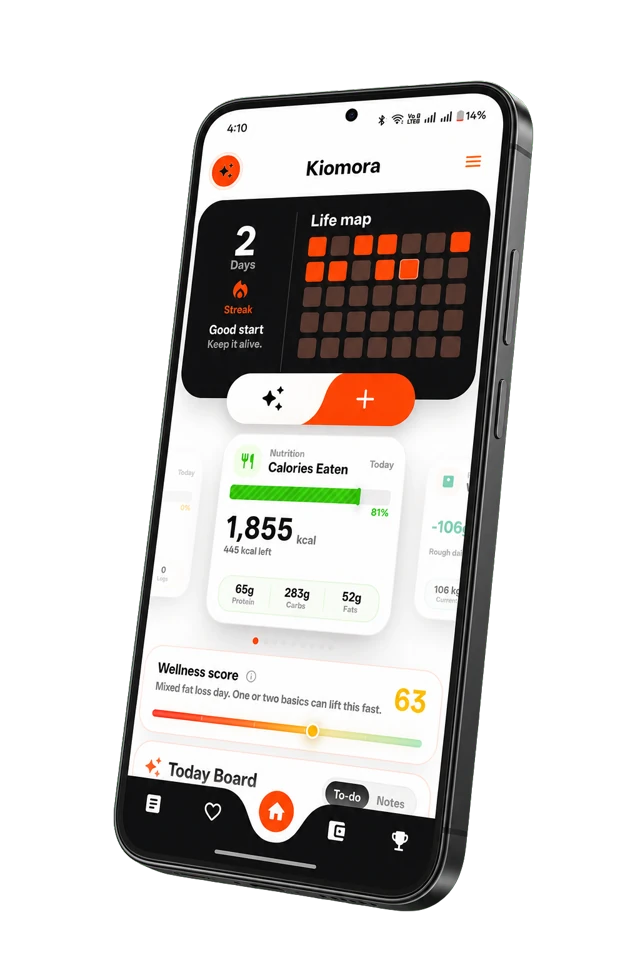
Instead of building databases, you use SuperLog to write, speak, or add a photo. Kiomora turns the details you choose into reviewable daily logs, then lets you revisit saved context with Ask Kiomora and Monthly Reports.
Keep Notion for the workspaces it does well. Use Kiomora when the goal is a private, connected record of daily life.
Start from a natural update instead of designing a database for each kind of daily detail.
Write, dictate, or add a photo naturally, then review the logs Kiomora detects.
Ask Kiomora retrieves from saved logs, and Monthly Reports organize a completed month for review.
| Feature | Notion | Kiomora |
|---|---|---|
| Initial Setup | Build the system yourself | Start with a natural daily update |
| Data Entry | Manual property filling | Freeform text or voice |
| Review flow | Design your own database views | Review detected cards before saving |
| Monthly review | Create your own rollups | Review a month of saved logs in one report |
| Everyday capture | Configurable around your workspace | Natural text, voice, or photo input |
Included with Kiomora Plus
Privately authorize ChatGPT, Codex, Claude Code, Gemini CLI, OpenCode, Hermes Agent, Grok, or another compatible remote MCP host. Retrieve supported records and reports or create supported logs without turning MCP retrieval into a claim of complete account export.
These tools complement each other more often than they replace each other. Decide whether your next task is designing a workspace or getting a real-life update out of your head while it is still useful.
Kiomora does not currently advertise a Notion importer. Use the app for new daily logs, then review and organize what you choose to save.
No. Notion is stronger for building custom databases. Kiomora is designed for faster personal capture and review of the supported log categories.
Notion can be excellent for custom workspaces. Kiomora is a focused option when you want to capture a natural daily update, review suggested logs, and revisit private saved context.
Don't forget to try Kiomora
Keep the details you choose to save connected in one personal record.
Explore Kiomora